Verify your setup
1. Check the snippet
Section titled “1. Check the snippet”Add data-debug="on" to the snippet while you test:
<script defer src="https://p.yoursite.com/p.js?k=pk_your_site_key" data-debug="on"></script>Open your site with a test UTM, such as https://yoursite.com/?utm_source=test&utm_medium=cpc, and open the browser console. Pingado logs the start of the visit and which pixels it loaded, prefixed with [pingado]. Remove data-debug when you are done.
2. Send a test lead
Section titled “2. Send a test lead”Submit a form on your site with an email address. It appears in Conversions within a few seconds, as a lead from the source you used.
3. Make a test purchase
Section titled “3. Make a test purchase”Use your payment provider’s test mode, for example a Stripe test card, and complete a checkout. On the confirmation page:
- The purchase appears in Conversions.
- Test-mode payments are not sent to ad platforms, so your campaigns are not trained on them. Meta and TikTok receive them when you add a test event code to that connection, and they show in the platform’s test events view.
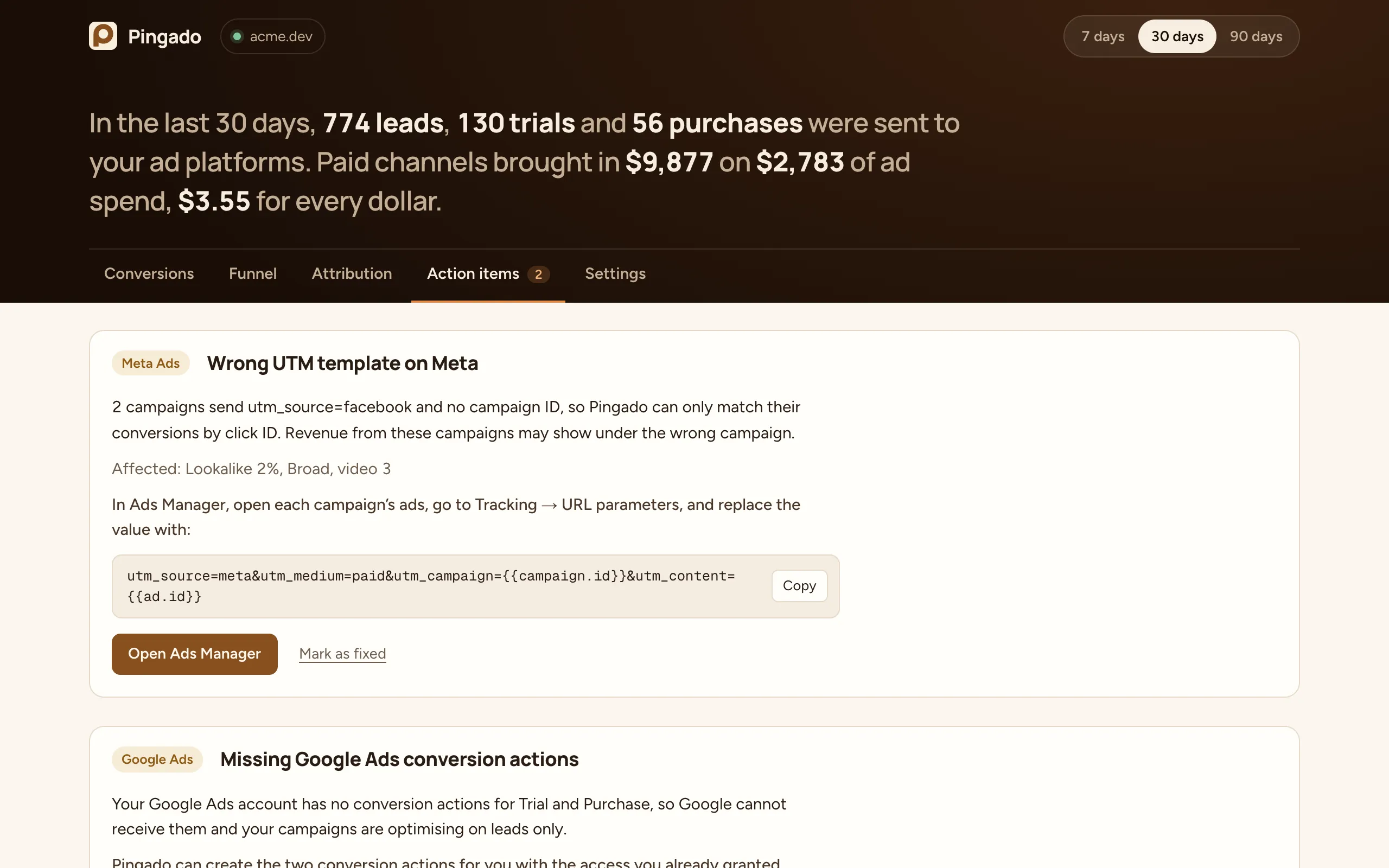
4. Check Action items
Section titled “4. Check Action items”Action items lists setup problems Pingado found, such as a missing Google Ads conversion action or campaigns without click IDs. Each one says what breaks and how to fix it.