
Install the snippet
The snippet
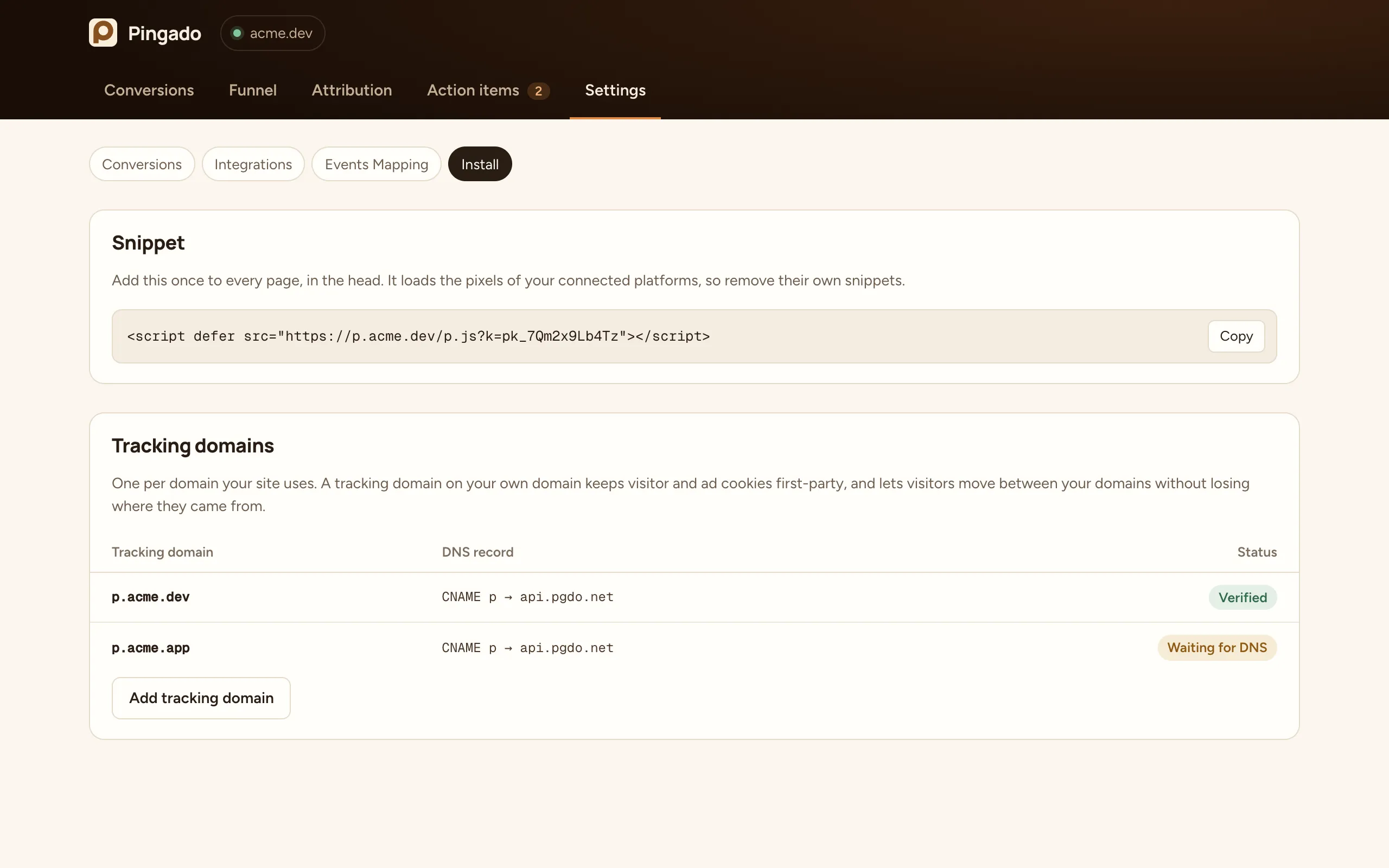
Section titled “The snippet”Copy it from Settings → Install and add it to the <head> of every page:
<script defer src="https://p.yoursite.com/p.js?k=pk_your_site_key"></script>The k parameter is your site key. It is public and safe to publish. The script loads the pixels of the ad platforms you connected, with the right IDs, so you do not paste their snippets yourself.
Remove the pixels Pingado loads
Section titled “Remove the pixels Pingado loads”Once an ad platform is connected, Pingado loads its official pixel for you. Remove that platform’s own snippet from your site, or from Google Tag Manager, so events are not sent twice.
If you keep a platform’s pixel on the page, Pingado detects it, does not load or initialise it again, and still sends conversions into it with the shared event ID.
Single-page apps
Section titled “Single-page apps”Pingado follows route changes in React, Vue, Svelte and similar apps: they belong to the same visit, and the ad platforms’ pixels see each one as a page view. There is nothing to add.
Where to paste it
Section titled “Where to paste it”- Next.js: in your root layout,
<Script src="…" strategy="afterInteractive" />fromnext/script. - WordPress: in your theme’s header, or with a plugin that adds code to
<head>. - Webflow: Site settings → Custom code → Head code.
- Framer: Site settings → General → Custom code → Start of
<head>tag.
Tracking domains
Section titled “Tracking domains”A tracking domain is a subdomain of your site, such as p.yoursite.com, that points at Pingado with a CNAME record. When the snippet loads from it:
- The visitor ID and the ad platforms’ cookies are set by the server as first-party cookies on your domain.
- Every visit refreshes those cookies, and restores any a browser deleted.
- Visitors keep their attribution when they move between your domains. See Cross-domain tracking.
Add one tracking domain for each domain your site uses. If your ads land on yoursite.com and people sign up on app.yoursite.io, add p.yoursite.com and p.yoursite.io.
Without a tracking domain
Section titled “Without a tracking domain”You can load the snippet from https://t.pgdo.net/p.js?k=pk_your_site_key while your DNS record propagates. In that mode the script sets its own cookies, and the ad cookies are written back by the script. Switch to your tracking domain as soon as it is verified.