
Choose your conversions
In Settings → Conversions, start from your business type, then turn individual conversions on or off.
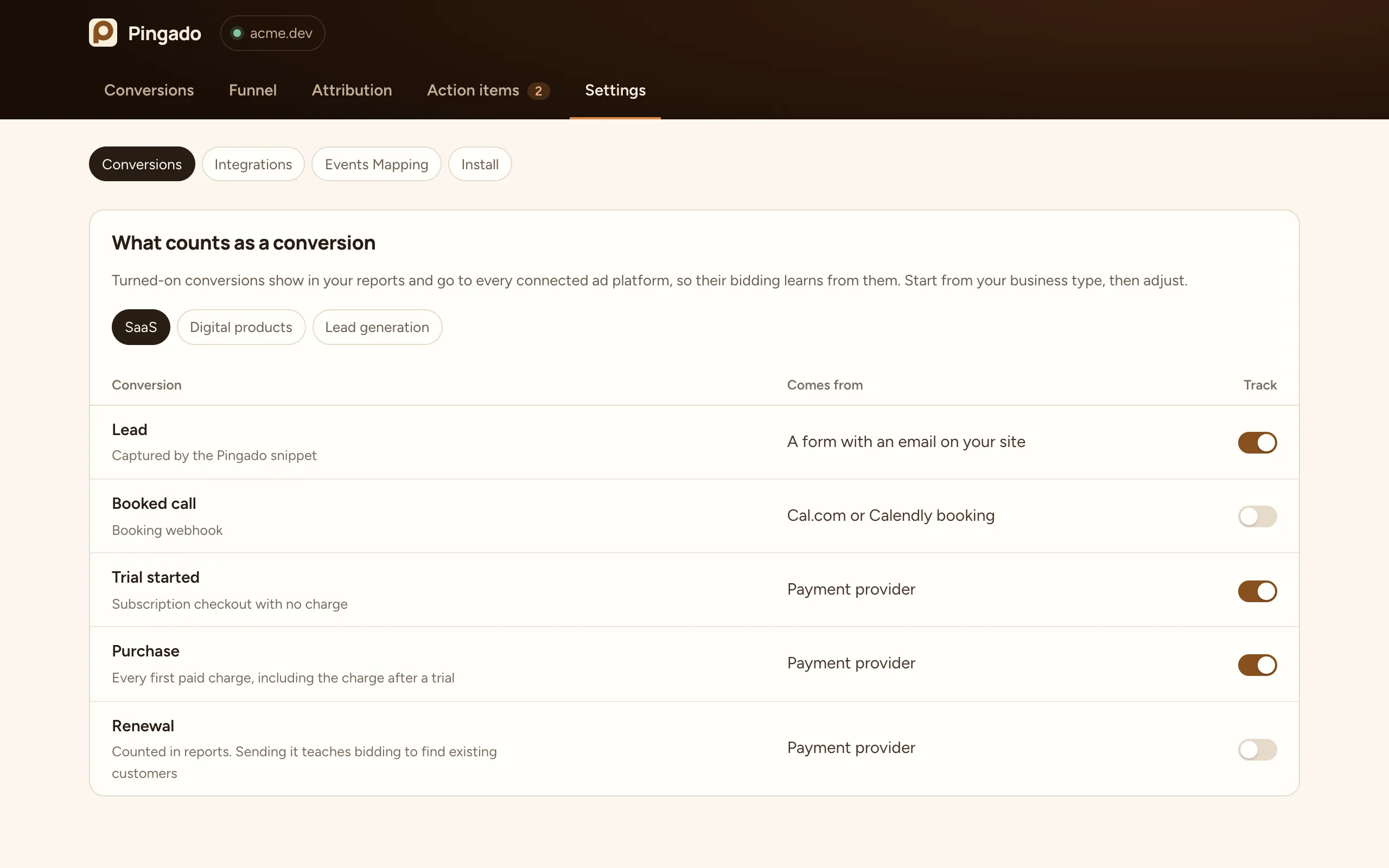
| Business type | Conversions turned on |
|---|---|
| SaaS | Lead, Trial started, Purchase |
| Digital products | Lead, Purchase |
| Lead generation | Lead, Booked call |
A conversion that is turned on shows in your reports and is sent to every connected ad platform, so their bidding learns from it. Changing a toggle switches the business type to Custom.
Renewals
Section titled “Renewals”Renewals are off by default. They always count in your reports and in each channel’s return. Sending them to ad platforms tells bidding to find more people like your existing customers, which is rarely what you want from new campaigns.
Booked calls
Section titled “Booked calls”Booked calls come from your booking tool. Connect Cal.com or Calendly in Settings → Integrations.